The way people watch television in the United States has evolved dramatically in recent years. Instead of relying solely on traditional cable subscriptions, many viewers now prefer flexible streaming solutions that provide access to thousands of channels and on-demand content. One of the most popular applications used for this purpose is IPTV Smarters Pro.
If you have recently subscribed to an IPTV service or are planning to start streaming live television online, learning how to use IPTV Smarters Pro is an important step. The app acts as a powerful IPTV player that allows users to watch live TV, movies, and series from their IPTV provider directly on their devices.
In this complete guide, we will explain how IPTV Smarters Pro works in the USA, how to install it on different devices, and how to configure it properly. In addition, we will show why pairing IPTV Smarters with a reliable IPTV provider such as Waveliz IPTV can create a smooth and high-quality streaming experience.
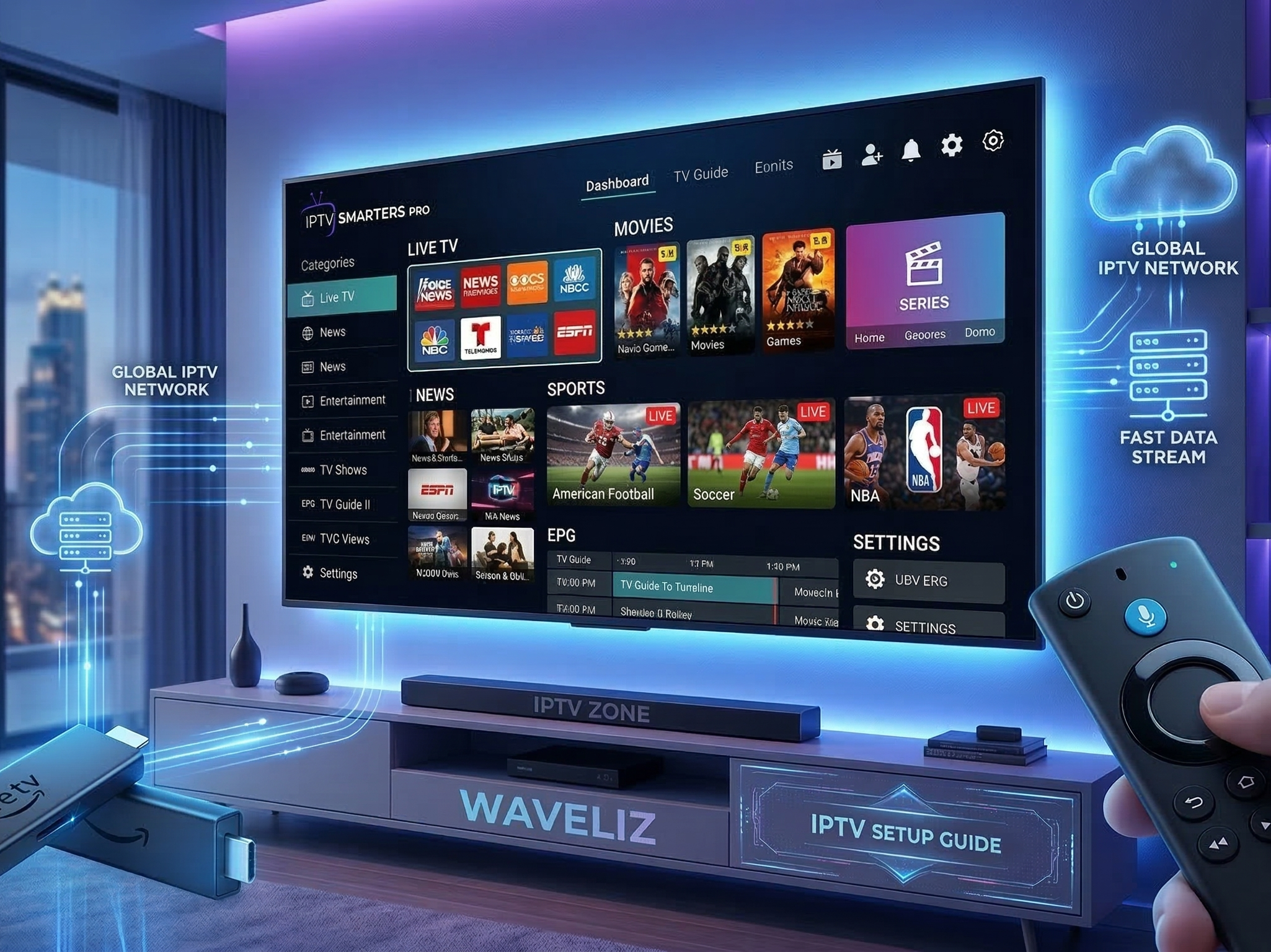
Table of Contents
- What is IPTV Smarters Pro
- How IPTV Smarters Pro Works
- Why IPTV Smarters Pro is Popular in the USA
- Devices Compatible with IPTV Smarters Pro
- How to Install IPTV Smarters Pro on Firestick
- IPTV Smarters Pro Setup Guide
- IPTV Smarters Features and Benefits
- Tips for the Best IPTV Streaming Experience
- Why Choosing the Right IPTV Provider Matters
- Frequently Asked Questions
- Final Thoughts
What is IPTV Smarters Pro?
IPTV Smarters Pro is a media player application designed to stream IPTV content from a provider. It does not provide channels itself; instead, it acts as a platform that loads content supplied by an IPTV service.
In other words, IPTV Smarters works like a bridge between your IPTV subscription and your streaming device. Once users enter their login details from an IPTV provider, the app organizes channels, movies, and series into a convenient interface.
Because of its intuitive design and powerful features, IPTV Smarters has become one of the most widely used IPTV apps in the world.
Most IPTV services, including Waveliz IPTV, support IPTV Smarters because it offers a smooth user experience across multiple devices.
How IPTV Smarters Pro Works
Understanding how IPTV Smarters Pro works can make the setup process much easier. Fortunately, the concept is quite simple.
First, a user subscribes to an IPTV service.
Next, the IPTV provider sends login credentials or an IPTV playlist.
Then, the user installs IPTV Smarters Pro on their device.
Finally, the user logs into the app using the provided credentials.
After logging in, IPTV Smarters automatically loads the channel list and organizes content into categories such as:
- Live TV channels
- Movies
- TV series
- Catch-up content
As a result, users can navigate their IPTV library just like they would on a modern streaming platform.
If you would like to understand the technology behind IPTV streaming, you can also read our guide How IPTV Works in the USA, which explains how IPTV services deliver content through internet networks.
Why IPTV Smarters Pro is Popular in the USA
IPTV Smarters has become extremely popular among streaming enthusiasts in the United States. There are several reasons behind this growth.
User-Friendly Interface
First of all, IPTV Smarters offers a clean and intuitive interface. Channels, movies, and series are neatly organized, which makes navigation simple even for beginners.
Multi-Device Compatibility
Another major advantage is device compatibility. IPTV Smarters works on a wide variety of devices, allowing users to enjoy IPTV content almost anywhere.
Advanced Streaming Features
The app includes several useful features such as:
- Electronic Program Guide (EPG)
- multi-screen streaming
- parental controls
- external player support
These features make IPTV Smarters one of the most versatile IPTV applications available today.
Devices Compatible with IPTV Smarters Pro
One of the main reasons IPTV Smarters Pro is widely used is its compatibility with many devices.
Supported devices include:
- Amazon Firestick
- Android TV boxes
- Smart TVs
- Android smartphones
- iPhones and iPads
- Windows PCs
- macOS computers
Because of this flexibility, IPTV Smarters can easily become the central hub for your IPTV streaming setup.
For example, many users combine IPTV Smarters with streaming devices such as Firestick. If you are using that device, you may also want to read our guide Best IPTV for Firestick in USA, which explains how to optimize IPTV streaming on Firestick devices.
How to Install IPTV Smarters Pro on Firestick
Firestick is one of the most common devices used for IPTV streaming. Fortunately, installing IPTV Smarters Pro on Firestick is relatively straightforward.
Follow these steps carefully.
Step 1: Enable App Installation
First, open the Firestick settings menu.
Then navigate to:
Settings → My Fire TV → Developer Options
Next, enable Apps from Unknown Sources.
This step allows you to install applications that are not directly available in the Amazon App Store.
Step 2: Install the Downloader App
After that, search for the Downloader application in the Firestick App Store.
Install the app and open it once the installation is complete.
Step 3: Download IPTV Smarters Pro
Inside the Downloader application, enter the download link for IPTV Smarters Pro and start the installation.
The app will then install automatically on your Firestick device.
Step 4: Launch the Application
Once the installation is complete, open IPTV Smarters Pro from your app library.
At this point, the application is ready to be configured with your IPTV subscription.
IPTV Smarters Pro Setup Guide
Setting up IPTV Smarters is quick and easy once the application is installed.
Step 1: Open IPTV Smarters
First of all, Launch the IPTV Smarters Pro app on your device.
You will see several login options available.
Step 2: Choose Login Method
Most IPTV providers recommend logging in using Xtream Codes API because it is the easiest method.
You will need to enter:
- username
- password
- server URL
These details are provided by your IPTV service.
For instance, users who subscribe to Waveliz IPTV will receive these credentials after activating their subscription.
Step 3: Load Channels
After entering your login information, IPTV Smarters will automatically load the channel list and organize it into categories.
You can now start streaming live television instantly.
IPTV Smarters Features and Benefits
IPTV Smarters Pro includes many advanced features that improve the IPTV streaming experience.
Electronic Program Guide
The Electronic Program Guide allows users to view channel schedules and upcoming programs.
Multi-Screen Streaming
Some versions of IPTV Smarters allow multiple streams at the same time.
Video on Demand
Users can access large libraries of movies and series directly inside the application.
External Player Support
The app supports external media players, which can enhance playback performance on certain devices.
Because of these features, IPTV Smarters has become one of the most trusted IPTV player worldwide.
Tips for the Best IPTV Streaming Experience
Even though IPTV Smarters Pro is powerful, there are a few simple tips that can significantly improve streaming quality.
Use a Stable Internet Connection
Moreover, A stable internet connection is essential for IPTV streaming. For HD channels, speeds of at least 20–25 Mbps are recommended.
Choose a Reliable IPTV Provider
The quality of your IPTV provider directly affects streaming performance. Services such as Waveliz IPTV focus on server stability and smooth channel delivery.
Keep the App Updated
Regular updates ensure compatibility with new devices and streaming technologies.
Use High-Quality Devices
Streaming devices like Firestick or Android TV boxes usually deliver the best performance for IPTV.
Following these recommendations can help you enjoy IPTV content without interruptions.
Why Choosing the Right IPTV Provider Matters
Although IPTV Smarters Pro is an excellent player, the application itself does not provide television content. Therefore, selecting the right IPTV provider is extremely important.
A reliable IPTV service should offer:
- large channel selection
- HD and 4K streaming quality
- stable servers
- fast channel loading
- responsive support
In recent years, Waveliz IPTV has started gaining attention among IPTV users and become one of the best iptv in usa for its modern streaming infrastructure and wide content library.
When paired with IPTV Smarters Pro, services like Waveliz can deliver a smooth and enjoyable streaming experience across multiple devices.
Frequently Asked Questions
Is IPTV Smarters Pro free?
Yes, IPTV Smarters Pro is free to download. However, you still need an IPTV subscription from a provider to access channels.
Is IPTV Smarters legal in the USA?
Firstly, Check The application itself is legal because it only acts as a media player. The legality depends on the IPTV service being used.
Can IPTV Smarters work on Firestick?
Then, Yes IPTV Smarters Pro works very well on Amazon Firestick and is one of the most common apps used for IPTV streaming.
Do I need an IPTV subscription?
Yes. IPTV Smarters does not provide channels. Users must subscribe to an IPTV provider to access content.
Which IPTV provider works with IPTV Smarters?
In addition, Most modern IPTV providers support IPTV Smarters. For example, Waveliz IPTV is designed to work smoothly with this application.
Final Thoughts – setup iptv smarters
To conclude, IPTV Smarters Pro has become one of the most powerful IPTV player applications available today. Its simple interface, advanced streaming features, and wide device compatibility make it an ideal solution for IPTV users in the United States.
However, the overall streaming experience also depends on the IPTV provider you choose. A reliable provider ensures stable servers, high-quality channels, and smooth playback across devices.
When combined with a modern IPTV service like Waveliz IPTV, IPTV Smarters Pro can deliver a flexible and high-quality streaming experience that rivals traditional television platforms.
As IPTV technology continues to grow, applications like IPTV Smarters will remain essential tools for accessing the future of digital television.